Power Automate flow, a Logic App and a Function App walk into a bar…
- freely communicate with other existing systems,
- have tools to automate mundane tasks,
- integrate seamlessly with cloud platforms.
Microsoft Dynamics 365 is no different. Being built on Power Platform and the Azure Cloud it has several options to choose from when it comes to communication, automation and optimization of both processes and time. That’s why choosing the right tool for the job is crucial. And there is no one tool for everyone – each tool excels in different scenarios.
Let’s take a look at the three most popular tools – Power Automate flows, Logic Apps and Function Apps. At first glance they seem to be similar, each providing a scalable, low maintenance solution that can be easily called from other systems and perform or orchestrate business logic, but there are very different when it comes to architecture, call, security, scalability and of course costs.
In this article we’ll take a closer look at the technical and practical differences between the three and discuss when to use each.
Power Automate flow
Flows have been part of the Power Platform family since 2016 (originally launched as Microsoft Flow), replacing and greatly expanding existing classic CRM workflows. As a separate product decoupled from Dynamics 365 CRM, it was liberated from the Dynamics 365 architecture and opened to other systems – enabling richer integrations, cloud-based orchestration, and support for both user-driven and system-triggered automation.
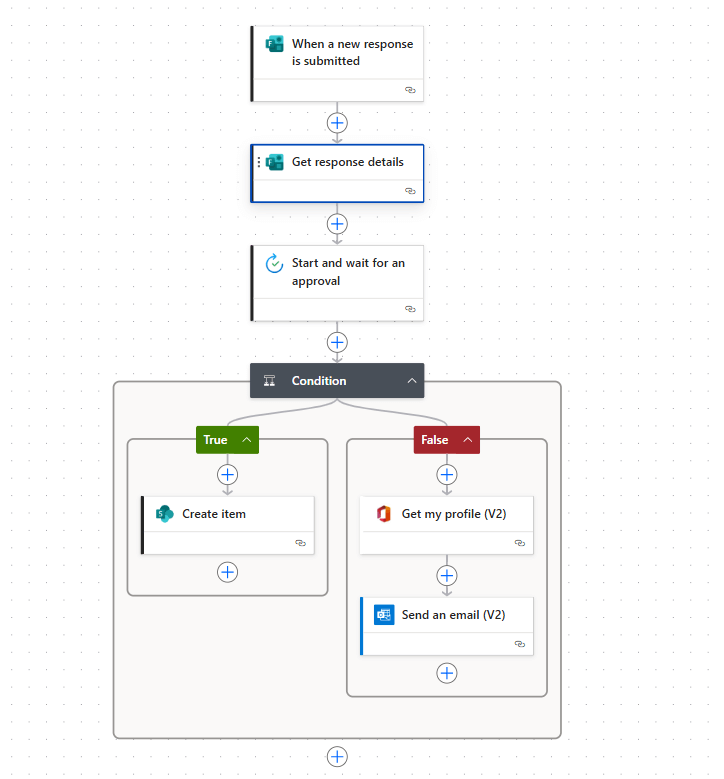
Where Power Automate shines:
- Ease of use and speed of delivery.
- Low-code interface that enables business users and citizen developers to build workflows visually.
- Native integration with Microsoft services, especially Microsoft Dataverse.
One of the biggest advantages of Power Automate is its deep integration with Dataverse. Whether you want to trigger a flow on record creation or update, perform more complex operations, or even make custom API calls – flows are the go-to method.
Limitations of Power Automate:
- As a public SaaS service, it cannot be deployed inside a private VNet → all traffic must go over public IP addresses.
- While flows are solution-aware and can be deployed between environments, they remain part of the low-code family and do not offer full pro-code benefits.
- You cannot choose where the flow runs, how it’s scaled, or fine-tune retry behavior beyond what’s exposed in the UI.
- Debugging is limited: run history is available, telemetry can be sent to Application Insights, but it’s still far behind traditional code debugging.
Logic Apps
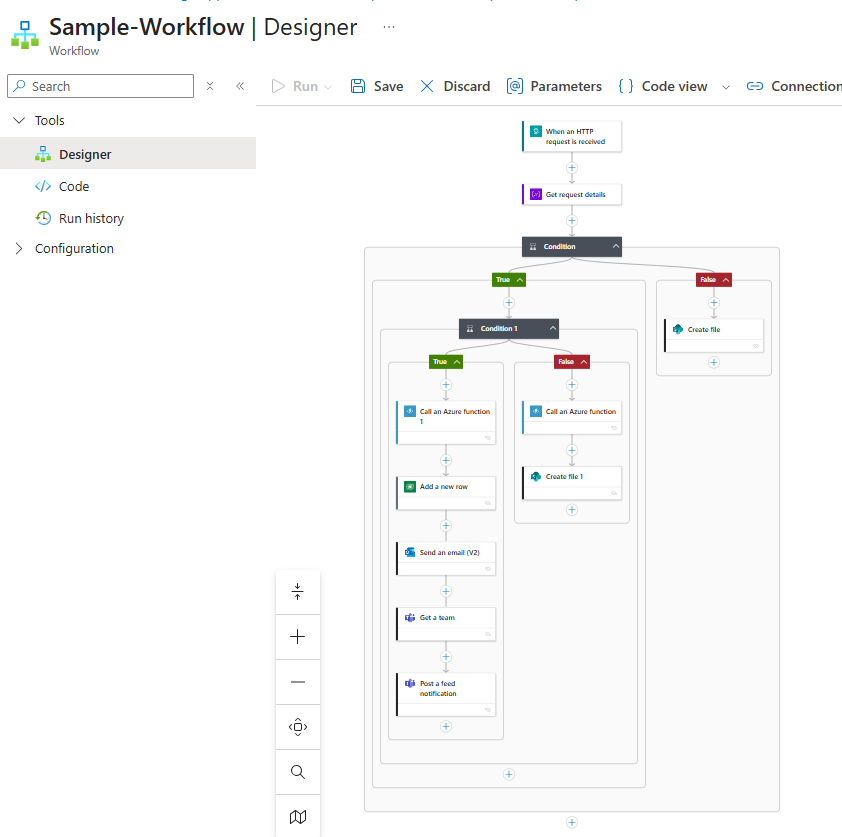
Often described as the enterprise-grade cousin of Power Automate, Logic Apps offer a similar low-code design surface, but with a strong focus on IT-managed, scalable, and secure integrations.
Advantages of Logic Apps:
- Built directly on the Azure platform.
- Can be deployed in a specific Azure region.
- Deep monitoring via Application Insights.
- Supports CI/CD pipelines, Infrastructure-as-Code, GitHub-based workflows.
- Can be deployed inside a Virtual Network for hybrid and secure scenarios.
Logic Apps are fully asynchronous by nature but can also be called synchronously (via HTTP triggers), making them suitable for many scenarios.
Why enterprise teams like Logic Apps:
- Version control and deployments through Azure DevOps or Bicep.
- Flexible hosting options (Consumption, App Service Plans, or even isolated ASE).
- Designed for professional developers and integration teams.
Limitations of Logic Apps:
- Not part of Power Platform → not included in M365/D365 licenses.
- Billed per action or based on hosting plan → small apps can still generate noticeable costs.
- Requires familiarity with Azure concepts (resource groups, networking, identity, pricing).
Integration caveat: placing Logic Apps inside a Virtual Network does not automatically make them callable from Model-driven apps like Dynamics 365. Typically, an API Management gateway is needed to securely expose a public endpoint that proxies requests to the private Logic App.
Connector caveat: even though Logic Apps and Power Automate share connectors, behavior is not always identical (limits, throttling, available actions can differ).
Azure functions
Azure Functions provide the most flexibility and lowest-level control, making them the go-to choice for custom business logic.
Where Azure Functions shine:
- Pure code-first approach (C#, TypeScript, Java, etc.).
- Best for short-lived, stateless operations: data transformation, validation, API orchestration, complex business rules.
- Deployable inside a Virtual Network for secure backends.
- Full control over request/response behavior.
Limitations:
- No built-in Dataverse connectors. Integration must be custom-coded or handled via webhooks.
- More plumbing required compared to low-code solutions.
- Deployable inside a Virtual Network for secure backends.
- Full control over request/response behavior.
The bartender asks: “What’ll it be?”
- Azure Functions → ultimate flexibility for code-first logic and scalable APIs.
- Logic Apps → enterprise-grade integration and orchestration, with full control over networking and monitoring.
- Power Automate → excels at citizen developer workflows with native Dataverse triggers, fast time-to-market, and simpler scenarios.
The takeaway: It’s not about picking one tool for everything. It’s about choosing the right tool for the job. Sometimes, the best approach is even to combine them.
The table below compares key aspects of Power Automate, Logic Apps, and Azure Functions to help you understand where each one fits best.
| Feature | Power Automate | Logic App | Azure Function |
|---|---|---|---|
| Low-code | Yes | Yes | No |
| VNet integration | No* | Yes | Yes |
| Synchronous call support | Limited (http trigger) | Yes | Yes |
| Built-in Dataverse support r | Native | Native | Web API/Webhooks |
| Custom auth/headers | Limited | Flexible | Full control |
| Execution timeout control | Varies by plan (2-30 min) | Up to 1 year | Configurable |
| Best for | Citizen/business users | Enterprise workflows | Code based logic & APIs |
| Included in M365/D365 license | Often included | Azure-billed | Azure-billed |
* Power Automate with Dataverse triggers work in the same infrastructure so if Dataverse is in VNet, no data is sent over public internet
Power Automate, Logic Apps and Azure function – mini case study
Imagine a company using Dynamics 365 Sales and Finance to manage its customer pipeline and invoicing. The business requirement is simple: whenever an invoice is created in Dataverse, it needs to be validated, approved, enriched with financial data from SAP, and then stored in SharePoint for archival purposes.
At first glance, this looks like a job for Power Automate: you trigger a flow on invoice creation and send approval requests to the manager. But then the complexity grows. Validation requires multiple external systems, SAP only exposes a private endpoint behind a firewall, and the enrichment logic involves a non-trivial calculation that’s messy to maintain in low-code expressions.
This is where combining tools makes sense:
1. Power Automate kicks off the process directly from the Dataverse trigger. The flow handles the approval part – sending adaptive cards in Teams and collecting responses. This keeps the user interaction simple and native to Microsoft 365.
2. Logic Apps orchestrates the integration with external systems. Because it can run inside a Virtual Network, it securely calls SAP and internal APIs without exposing anything to the public Internet. Retry policies and monitoring in Application Insights ensure reliability.
3. Azure Functions encapsulates the complex calculation logic. Instead of dozens of nested expressions in a flow, a few lines of TypeScript or C# deliver a cleaner and more maintainable solution. The Logic App simply calls the Function synchronously and gets back the enriched data.
The end result: users in Dynamics see a quick approval experience; IT teams maintain a secure integration landscape; and developers get clean code for business-critical logic.
This hybrid pattern illustrates the real power of combining the three approaches: flows for user-facing automation, Logic Apps for orchestration and connectivity, and Functions for specialized business logic.