Home / Solutions / Power Apps

Empower your teams with Power Apps

Every business has its own way of working, and off-the-shelf tools rarely fit just right. Microsoft Power Apps helps you build custom business applications that align perfectly with your processes – without needing to write code.

At Netwise, we specialize in delivering advanced Model-driven Apps that are tightly integrated with your data and business logic. These apps are built on Microsoft Dataverse, ensuring scalable, secure, and structured solutions that support even the most complex enterprise workflows.

Power Apps solves everyday business challenges

Over-reliance on manual processes?

Digitize and automate everyday workflows and tasks using low-code tools connected to your data sources.

No in-house development team?

Empower business users to create and manage apps using intuitive, code-free interfaces.

Disconnected data and systems?

Use Dataverse and over 1400 built-in connectors to unify data across Excel, SharePoint, SQL Server, APIs, and more.

Long development timelines?

Quickly build and iterate on applications with drag-and-drop tools and ready-made components.

What you can build with Power Apps

Model-driven Apps

Create data-first applications built on logic and business rules. Automatically adjust interfaces based on underlying data models and streamline structured business processes.

Agile deployment

Publish apps to web, iOS, Android, and Windows. Access enterprise tools anywhere, anytime.

Canvas Apps

Design pixel-perfect, highly customizable apps from scratch. Use drag-and-drop controls and connect to any data source for rapid app creation.

Data integration

Leverage Dataverse as a central data repository, and connect to 200+ services including Excel, SQL, SharePoint, and more.

Why teams love using Power Apps

Flexible low-code

Build apps tailored to your needs using intuitive drag-and-drop interfaces – no advanced coding required.
Powerful data connectivity
Easily integrate with Microsoft Dataverse and external systems for a unified data layer.
Fast prototyping iteration
Free up sales teams with automated admin tasks, faster access to customer data, and AI-guided pipeline management, enabling more time for meaningful customer interactions.
Mobile-ready
by design
Automation slashes time spent on approvals and handovers.
Fully integrated with Microsoft

Easier implementation of internal policies and external regulations.

Extend your apps with advanced tools

Power Apps Component Framework (PCF)

Extend app functionality by developing custom UI components for specific business needs.
AI Builder integration
Automate document processing (e.g. invoice data extraction) and apply AI models to streamline business tasks.
Power Automate
Integrate workflows directly into your apps to trigger notifications, sync data, and automate repetitive processes.
Security and governance
Ensure secure access with role-based permissions and enterprise-grade admin control.
Responsive design
Apps are responsive by default, delivering seamless UX across desktop, tablet, and mobile.
Insightful analytics
Use built-in analytics or connect to Power BI for deep reporting and performance tracking.

Work with experts who understand business

Choosing the right partner is key to success. At Netwise, we provide:

Two Microsoft MVPs on board, bringing top-tier product insight and early access to platform innovations

Extensive experience delivering low-code and Dynamics 365-based apps across industries

Deep knowledge of Microsoft’s Power Platform ecosystem and integrations

Strategic consulting aligned to your business needs and processes

Kamil, our Value Delivery Manager. At Netwise since 2017.

Discover what's possible with Power Apps

Power Apps is a tool from Microsoft that lets you build simple business apps without needing to code much.

You can use it to create things like forms, approval apps, or internal tools and connect them to data like Excel, SharePoint, or Dataverse.

A Canvas app is a type of Power Apps app where you build the entire interface yourself, starting from a blank screen. You control exactly how it looks and how users interact with it – placing buttons, forms, galleries, and defining logic using simple formulas (similar to Excel).

Unlike model-driven apps, Canvas apps are focused on the user experience first. You connect them to different data sources (like SharePoint, Excel, SQL, or Dataverse) and decide how that data is displayed and edited in the app.

In model-driven apps, you create forms in the Power Apps maker portal by selecting a table and opening its form designer. You can add fields, sections, and tabs to define how the data is structured and displayed.

Then you customize the form by arranging fields, setting properties (like required or read-only), and controlling visibility. You can also add business rules or logic to change how the form behaves based on data.

Most of the time, you build apps directly in Power Apps Studio in the browser – that’s your main tool. If you need more advanced stuff, you can use things like Visual Studio Code or Power Platform CLI, especially for custom components or managing environments.

On top of that, you have Dataverse for data, Power Automate for workflows, and resources like Microsoft Learn or XRM Toolbox that just make your life easier.

Power Apps works with Power Automate by letting you trigger flows directly from the app, for example when a user clicks a button or submits a form.

When that happens, the app sends data (like form inputs or selected items) to the flow, which then runs in the background and can do things like update data, send emails, or connect to other systems. If needed, it can also return a result back to the app.

So in practice, Power Apps is what the user interacts with, and Power Automate handles the logic and actions behind it.

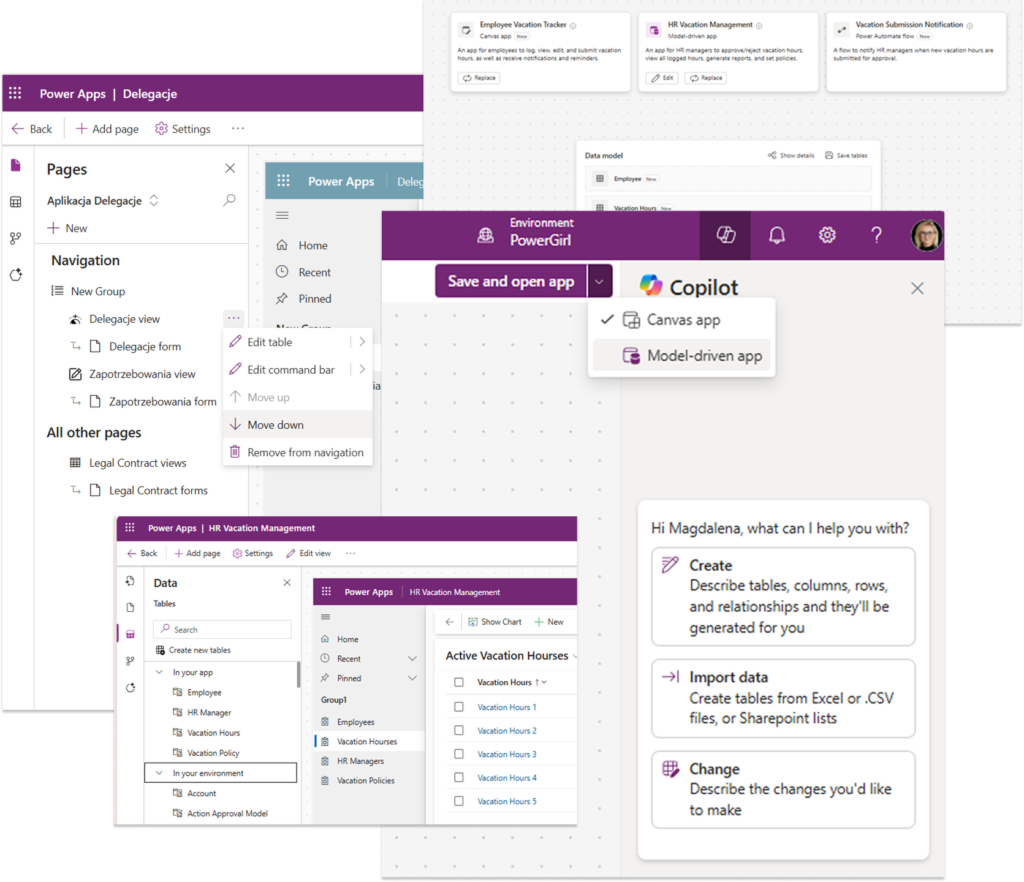
Yes, and that’s one of its biggest strengths. It works very naturally with services like SharePoint, Excel, Teams, Outlook, and Dataverse. At the same time, it can also integrate with external systems, like APIs, SQL databases, or tools outside Microsoft, using connectors or custom integrations.

So you’re not limited to Microsoft only – it works best there, but you can connect it to pretty much anything.

Standard is already included in Microsoft 365 and works well for simple apps based on tools like SharePoint or Excel.

Premium (~$20/user/month) is needed when you want to use Dataverse, connect to external systems (like SQL or APIs), or build more advanced apps.

In short: standard is fine for basic scenarios, Premium is for more serious, business-critical solutions.

Microsoft Power Apps offers a simple way to build and run business apps on top of your data.

Main features:

  • low-code app building with a visual editor
  • built-in data storage with Dataverse
  • connections to tools like Microsoft 365, SQL, and other systems
  • AI support with Copilot and AI Builder
  • canvas and model-driven apps depending on needs
  • automation with Power Automate
  • apps that work smoothly on mobile and web
  • security with role-based access and governance controls

It’s mainly about turning manual processes into lightweight, easy-to-manage apps.

Ready to empower your business with Power Apps?