Over the last two years, CRM systems have been changing in a noticeable way. This change is not only about new features. It is mainly about how people work with CRM systems and how these tools support daily tasks.
At the beginning, CRM systems were mostly used as a central place to store customer information and to log activities related to customers. Sales and service teams used CRM to keep everything in one place and to report on their work.
The next important step was the introduction of automation. Automation made it possible to enter information once and let the system handle follow-up actions in the background. For example:
- Adding customer needs, a planned purchase date, and an estimated budget could automatically move an opportunity to the next stage.
- Creating an opportunity with estimated revenue above a certain value could trigger an approval request to a manager.
At that time, this already changed how people worked with CRM.
When cloud technology and low-code tools were added, CRM systems became easier to extend and adapt. Business users could build simple solutions on top of CRM without heavy development work.
Today, we are seeing another shift – AI is changing how CRM is used.
Over the last years, most discussions were about Generative AI, and in recent months the focus has moved toward Agentic AI.
So how does this apply to Dynamics 365 CRM? And what kind of AI support does this platform actually offer?
AI is more than just generating text
When we talk about AI in CRM, it is important to understand that it is not only about generating email content or summaries.
There are three main types of AI:
Traditional AI
Traditional AI focuses on tasks such as classification, prediction, and anomaly detection. This type of AI has been used for many years, long before Generative AI became popular.
Generative AI
Generative AI can create content, answer questions, and support everyday work. This is the type of AI most people associate with tools like chatbots and copilots.
Agentic AI
Agentic AI is the newest development. It can take actions on its own, based on defined triggers, without waiting for a user to ask. It can also work together with other agents to handle more complex scenarios.
AI in Dynamics 365: the early steps
Dynamics 365 CRM has been using AI for quite some time.
Traditional AI features have been available for years. In 2019, Microsoft introduced AI Builder, which includes ready-to-use models that do not require coding. Examples include:
- Document recognition
- Invoice processing
- Classification models
Around the same time, Microsoft added features such as Predictive Scoring for leads and opportunities in Dynamics 365 Sales.
Other examples of traditional AI in Dynamics 365 include:
- Conversation Intelligence
- Auto Capture
- Note Analysis
- Customer Support Swarming in Dynamics 365 Customer Service
These features are often combined with automation. For example, AI can identify that a note is a meeting request, and automation can then create the meeting automatically.
Thanks to integration with Power Automate, scenarios like the following became possible:
- When an incoming email is classified as a complaint, a complaint record is automatically created in Dynamics 365 Customer Service.
Phase 2: Virtual Assistants in CRM
In 2022, Microsoft introduced Viva Sales, which was the first version (and original name) of what we now know today as Copilot in Dynamics 365 Sales. Similar capabilities were introduced in Dynamics 365 Customer Service shortly afterward.This was the moment when Generative AI became part of everyday CRM work.
For the first time, users could:
- Ask questions about CRM data using natural language
- Generate email drafts directly in CRM
- Get quick summaries and suggestions without searching through records
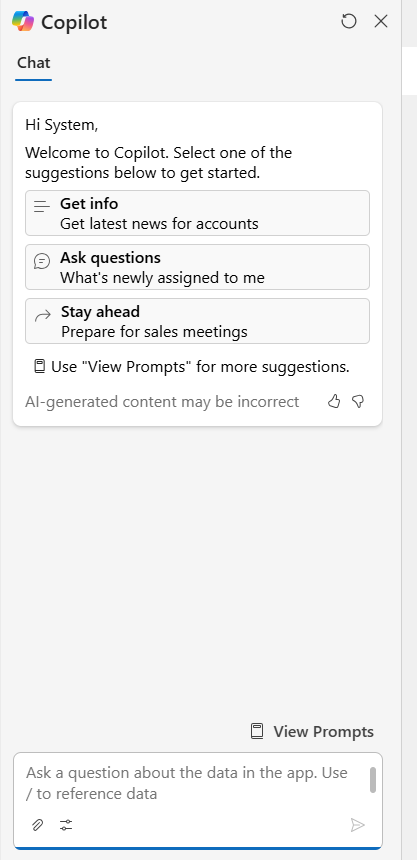
Copilot in D365 Sales
But that was not all. These Copilots were open for extensions, which meant they could be connected to an organization’s own knowledge sources. As a result, Copilot could work not only with CRM data, but also with internal documentation and external company content.
For the first time, users could access most of their knowledge in one place. They could ask questions about procedures, product availability, or commercial offers published on corporate websites, without switching between systems or searching through documents.
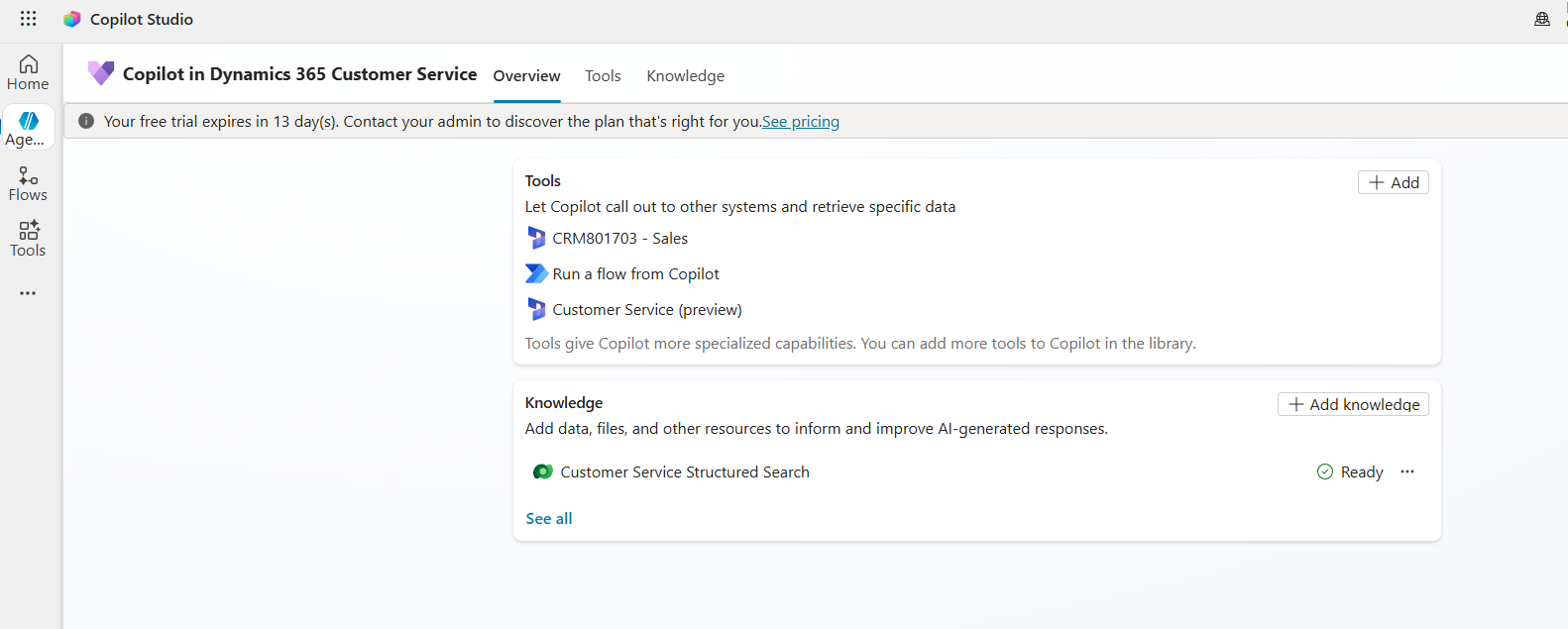
Copilot in D365 Customer Service (setup in Copilot Studio)
Up to that point, AI in CRM mainly worked by responding to user requests. It answered questions, suggested next steps, drafted content, or performed calculations when asked. In practice, it acted as a virtual assistant whose main goal was to save time.
However, it was still limited to support and recommendations. The AI was not yet able to take actions on behalf of the user or operate independently within business processes.
Agentic CRM
In the middle of 2025, AI Agents were introduced in Dynamics 365. In Sales, Microsoft announced the Sales Qualification Agent, and in Customer Service, the Knowledge Base Management Agent. This marked the next phase of AI support in Dynamics 365 CRM, often referred to as Agentic CRM.
These agents work in the background, without interrupting users in their daily work. Their role is to complete specific tasks automatically and hand over results when they are ready.
In Customer Service, for example, an AI Agent can create new knowledge base articles based on resolved cases. After approval by a supervisor, these articles can be published immediately and made available to all service agents across the organization. This allows service teams to spend more time solving real customer issues instead of manually creating and maintaining documentation.

Knowledge Management Agent – setup
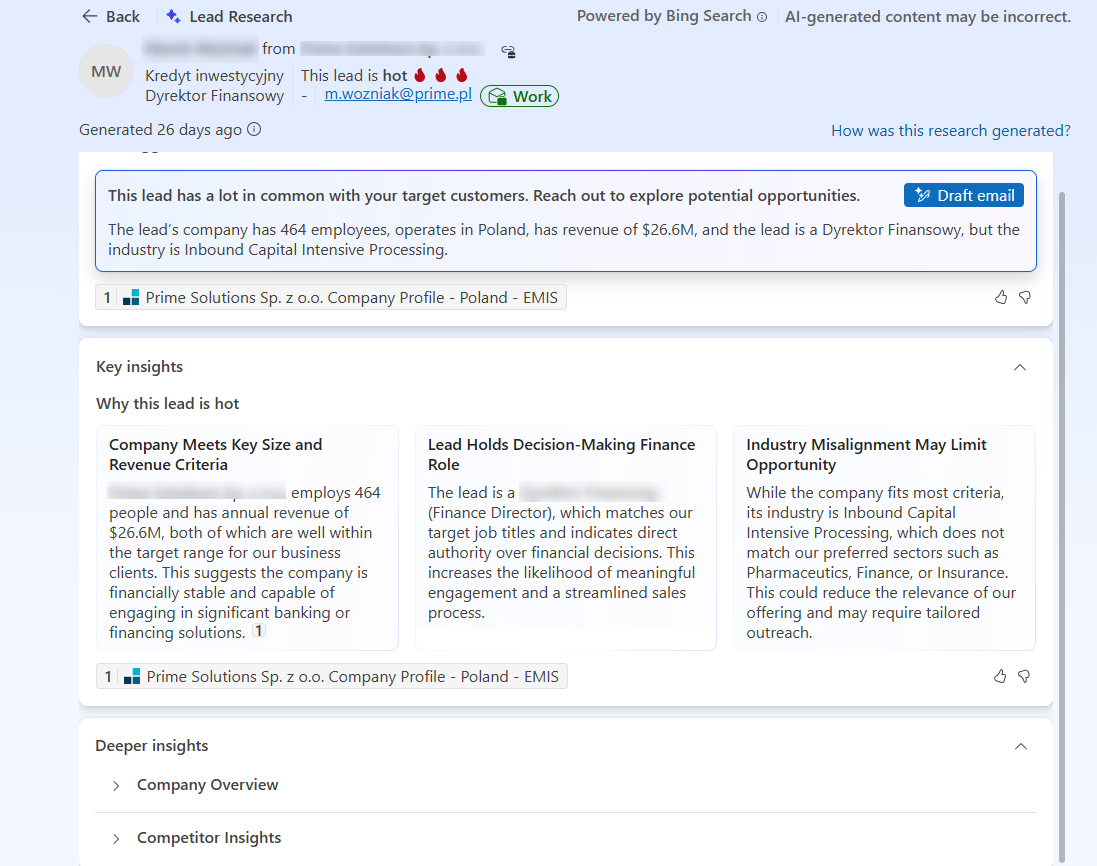
In Sales, the process starts when a new lead is created. The AI Agent reviews and qualifies the lead based on the company’s rules and requirements. For example, it:
- Checks whether the lead matches the company’s ideal customer profile
- Reviews known competitors and suggests possible advantages
- Performs research on the potential customer, highlighting opportunities and possible risks
As a result, sales teams receive a better-prepared lead and can focus on meaningful conversations instead of manual research and qualification work.
From the very beginning, these Copilots and Agents could be grounded in an organization’s own knowledge and extended with custom tools, such as automations or prompt-based actions. This is what makes them powerful. They are not just virtual assistants that answer questions or draft responses to customer requests – they can be connected directly to real business processes.
Fast forward to today, and we now have 11 different Agents and Copilots working with or on behalf of end users. In addition, there are features such as Smart Paste, which may look like a simple productivity feature but is, in fact, also powered by a dedicated AI Agent.
AI Agents and Copilots in Dynamics 365 Sales
Copilot in Dynamics 365 Sales
Works as a virtual assistant for sales users. It can summarize meetings, help prepare for meetings, summarize records and conversations, and draft emails. It can also be extended to create records, answer questions based on the knowledge base, and perform custom actions such as checking data in external systems.Sales Qualification Agent
Helps with lead qualification. It researches leads and recommends or performs next best actions. It can check information available online, compare the lead with competitors, and draft or send emails to the lead.
Sales Close Agent (Research type)
Provides insights needed to move opportunities forward in one place. It can detect risks early, prioritize opportunities based on real-time signals, and build a complete view of an opportunity by combining data from CRM, emails, meetings, and web sources.Sales Close Agent (Engage type)
Focuses on direct engagement with potential customers. It can proactively reach out with personalized communication, recommend products, answer common questions, address objections, and work based on a customizable playbook.
Sales Research Agent
Helps answer complex business questions through a dialogue with data. It allows users to ask questions in natural language and combines CRM and external data to provide insights.
AI Agents and Copilots in Dynamics 365 Customer Service/Contact Center
Copilot in Customer Service/Contact Center
Acts as a virtual assistant that provides real-time AI support for customer service representatives. It helps automate time-consuming tasks so cases can be handled more efficiently and issues resolved faster. Representatives can respond to questions, compose emails, draft chat responses, and summarize cases and conversations directly in the Copilot Service workspace app.
Customer Intent Agent
Uses generative AI to automatically identify customer intents by analyzing past and current cases and customer conversations. It identifies the most common intents and suggests new ones, helping teams better understand customer needs. The agent can also recommend relevant knowledge articles to resolve issues, improving both self-service and assisted service experiences.
Customer Knowledge Management Agent
Helps extract knowledge from cases and manage customer knowledge in real time. After a case is closed, the agent analyzes case details, fills knowledge gaps, and ensures compliance before knowledge is reused.
Quality Evaluation Agent
Supports autonomous and AI-assisted evaluation of customer interactions across cases and conversations, based on evaluation frameworks defined by supervisors. Supervisors can define criteria and evaluation plans and use the results to improve the quality of customer interactions.Case Management Agent
Available only in Dynamics 365 Customer Service. Helps automate case lifecyle – create, update, resolve, and close – to save time that service representatives would otherwise spend on manually filling case details
Where AI in Dynamics 365 is headed
AI has been part of Dynamics 365 for several years. It started with the introduction of AI Builder, which has been supporting users for over five years. More recently, new types of AI support have been added, expanding these capabilities and changing how users interact with the system.
One of the biggest advantages of Microsoft’s approach is the use of one platform, one security model, and one governance model. Just like earlier automation capabilities, this approach removes many integration challenges and reduces the risk of security or compliance issues.
Today, Microsoft is also announcing features and services such as Agent Feed and Agent 365, which are designed to manage and monitor AI Agents. This clearly shows the direction Microsoft is taking with CRM and other business applications — moving toward an environment where real virtual assistants work alongside humans and support them in their daily tasks.