If you’re:
• Adding users to environments every time you get a request
• Manually assign roles and follow based on an Excel list
• Having an offboarding process that’s a list of checkboxes and prayers
• Managing access through sheer force of will
This article is for you.
Power Platform has a better way to manage access to environments. Doesn’t matter if you’re a small company, or a huge enterprise – Power Platform has a native access control model based on Entra ID to make your life easier.
How Entra ID controls user access in Power Platform
Before discussing access management in Power Platform, it helps to clarify how identities are handled.
Dataverse does not manage user identities. It does not create or maintain them; it relies on identities provided by Microsoft Entra ID.
All user identities are managed in Entra ID. This is where users are created, licensed, disabled, and removed. Power Platform environments use Entra ID as their identity provider.
The same applies to groups. Groups are defined and maintained in Entra ID, and their membership is typically managed centrally by identity or IT teams, sometimes with input from HR systems.
Defining access at the identity layer
Because of this, Entra ID is already the system where organizations define:
• who is an employee or contractor,
• which department or function someone belongs to,
• when access should be granted or removed.
Power Platform can rely on this existing identity structure instead of duplicating it.
In practice, Dataverse works best as the final layer where permissions are enforced, while identity and group membership are managed upstream in Entra ID.
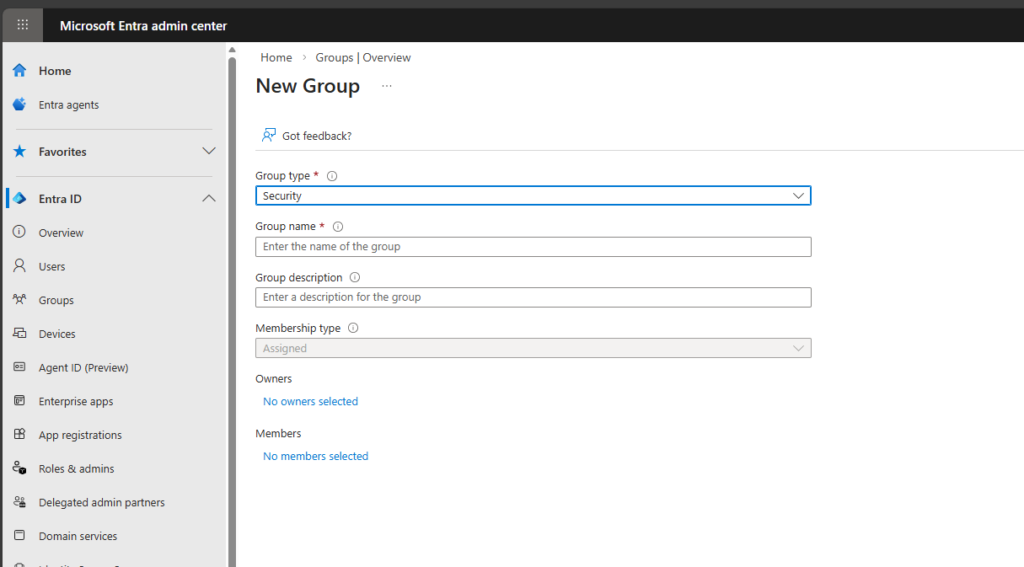
Entra ID security groups provide a centralized way to express access intent, for example:
• access to a specific system,
• a business function or responsibility,
• a defined level of trust.
Licenses are also commonly assigned through these groups, and many organizations already use Entra ID groups as part of their identity governance model.
Rather than configuring access per user in each environment, organizations can manage group membership in Entra ID and allow connected systems to reflect that structure.
The remainder of this article builds on that model.
Why user-based access management doesn’t scale
Let’s start with the setup most environments still use – a new employee joins the company and needs to access Power Platform apps (Dynamics 365 or any other based on Dataverse).
First, a license must be assigned in Entra ID or Microsoft 365. Without a valid license, the user cannot access Power Platform, and no user record is created in Dataverse.
The user must also sign in at least once. This step is often overlooked, but it is important because Dataverse only creates a user record after the first login. Until that happens, the user does not exist in the environment from Dataverse’s perspective.
After the first login, the user may still see an access error. This is expected behavior. When Dataverse creates a new user record, it does so without assigned roles or permissions. The user exists, but has no access to apps or data until security roles are explicitly granted. By default, the platform denies access until permissions are configured.
What usually follows is a reactive troubleshooting cycle: the user reports an issue, someone verifies licensing, someone else checks roles, and access is granted manually – often based on spreadsheets or internal notes.
In multi-environment setups, the same steps are repeated across environments, sometimes by different administrators.
Although each case takes only a short time, the experience can appear inconsistent to users. In practice, the system is consistent; the process around it is not.
Where user-based access creates the most risk
Offboarding is where this model really shows its weaknesses. When someone leaves or changes position, an admin needs to:
• remember which environments the user had access to,
• remove roles from each environment,
• remove the user from teams,
• hope nothing was missed.
If access was granted through record sharing or ad-hoc team membership, the situation is even worse. You can remove all roles and still leave behind access paths nobody remembers.
The key characteristic of this model is simple: access is managed per user, not per role or group. And as long as that’s true, scaling security will always mean more manual work, more exceptions, and more risk.
Pre-provisioning Power Platform access with Entra ID security groups
One practical benefit of an Entra ID–based access model is that access does not have to begin with a failed first login.
In a manual setup, Dataverse creates a user record only after the first sign-in. Until then, administrators cannot meaningfully assign roles, teams, or app access. As a result, the first login often triggers reactive access configuration.
When environment access is controlled through Entra ID security groups, this process can be planned in advance.
Users do not need to be configured individually. They only need to be added to the appropriate Entra ID security group. From that point, the environment recognizes that the identity is intended to have access.
Even though the Dataverse user record is still created at first sign-in, access intent is already defined:
• the user is permitted in the environment,
• appropriate permission groups are already assigned,
• roles are granted through teams rather than directly to individuals.
This allows the first login to function as a normal start of work rather than a trigger for manual configuration.
Managing Power Platform admins with Entra ID security groups
The same pattern becomes even more valuable for privileged roles. Usually in an enterprise setting keeping track of system administrators may be a struggle. Power Platform admin center provides some means of information but it still relies on manual process.
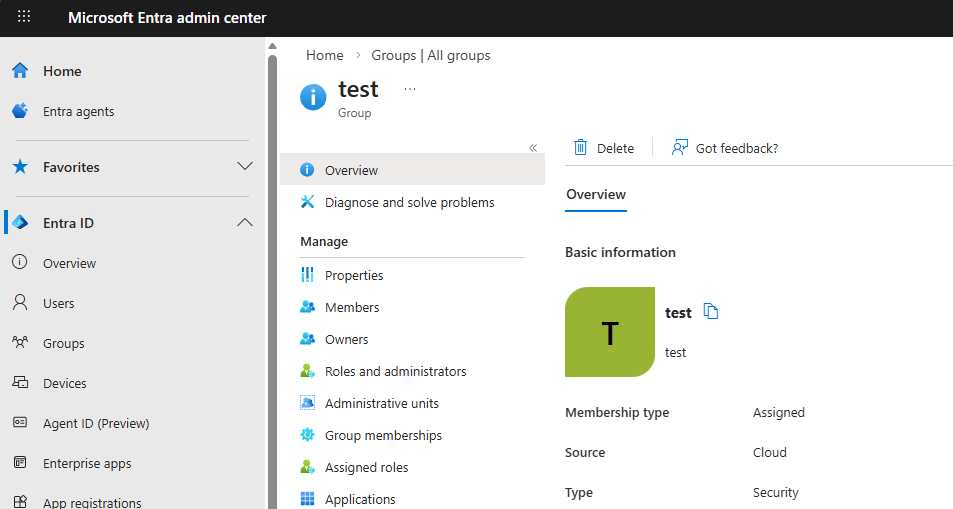
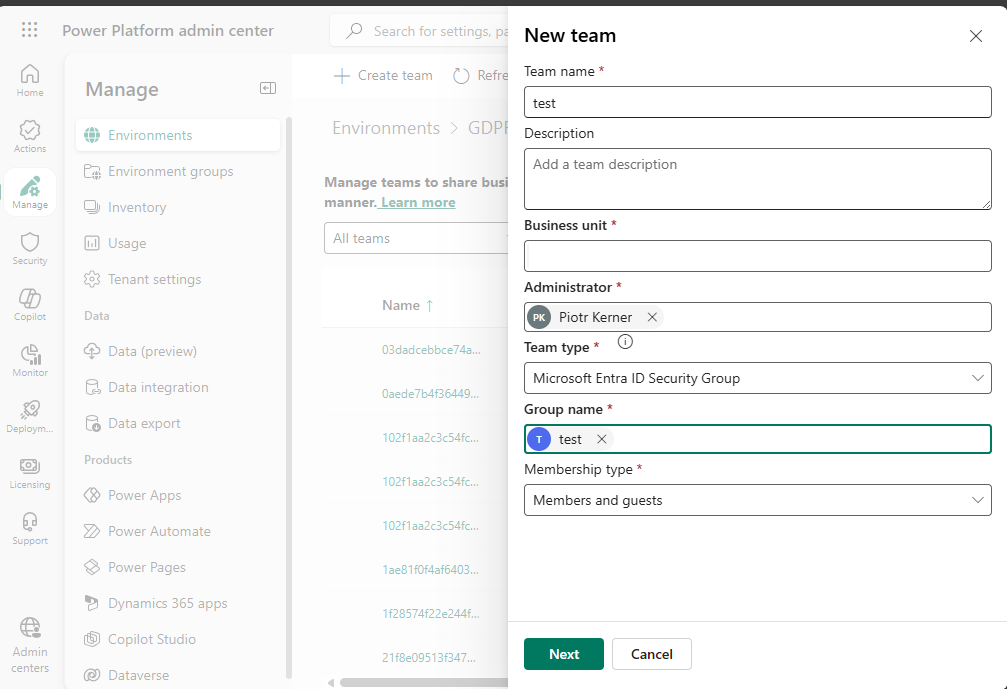
Instead of manually assigning System Administrator to specific individuals in each environment, you can define an explicit Entra ID group for administrators, for example: PP-ENV-CRM-Admins
This group is mapped to a Dataverse group team, and that team is assigned the System Administrator role.
The model is straightforward:
• adding a user to the group grants administrative access,
• removing the user from the group revokes it.
No additional cleanup or role adjustments are required.
This approach enables centralized, auditable, and reversible management of elevated permissions.
It also helps avoid a common risk in Power Platform security: administrator roles that remain assigned to individuals longer than necessary.
The same pattern can be applied to other technical roles, such as system customizers or environment-specific power users. Each role can be linked to a dedicated Entra ID security group and mapped through Dataverse group teams.
Closing thought
A scalable access model does not rely on manual role assignment. Access should already be correctly defined when a user starts working.
• Entra ID groups define intent.
• Dataverse teams enforce permissions.
• Onboarding is handled through group membership.
Security then becomes a configuration and governance practice, not a repetitive operational task.