Customer experience is one of the main reasons people stay loyal to a brand – or leave it. Today, businesses compete less on price and more on how well they support their customers.
Customer service teams, however, face growing complexity. Conversations happen across email, chat, phone, and social media, often at high volume. Managers need to maintain consistent quality, but manual reviews are slow, subjective, and cover only a small portion of interactions.
AI-powered quality monitoring helps close this gap. By reviewing more conversations and highlighting issues early, teams can improve performance without adding manual work. Microsoft Dynamics 365 Quality Evaluation Agent supports customer service and contact center teams in doing exactly that.
What is the Quality Evaluation Agent and how does it work?
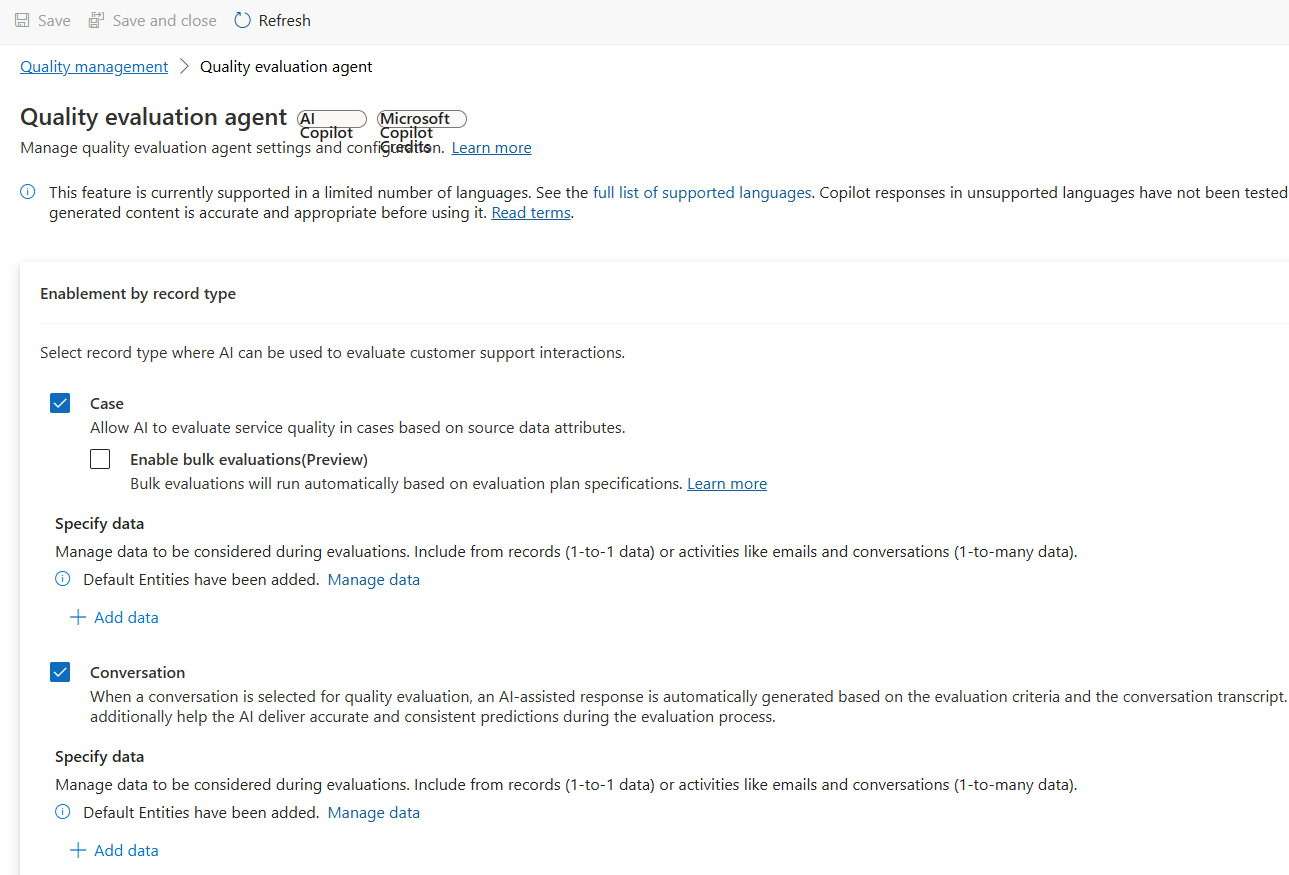
The QEA is an AI-driven tool that automatically audits and scores closed cases (D365 Customer Service) and customer conversations (D365 Contact Center) against predefined quality standards. It ensures every interaction meets your organization’s benchmarks for excellence – without manual intervention.
This reduces delays, improves operational efficiency, and gives agents more time to handle complex cases. You can choose full automation or keep the agent in the loop with approval-based automation.
Core features of Quality Evaluation Agent
Automated quality audits
Reviews completed cases and conversations automatically
Assigns a quality score from 0 to 100
Evaluates compliance with defined quality criteria
Customizable evaluation framework
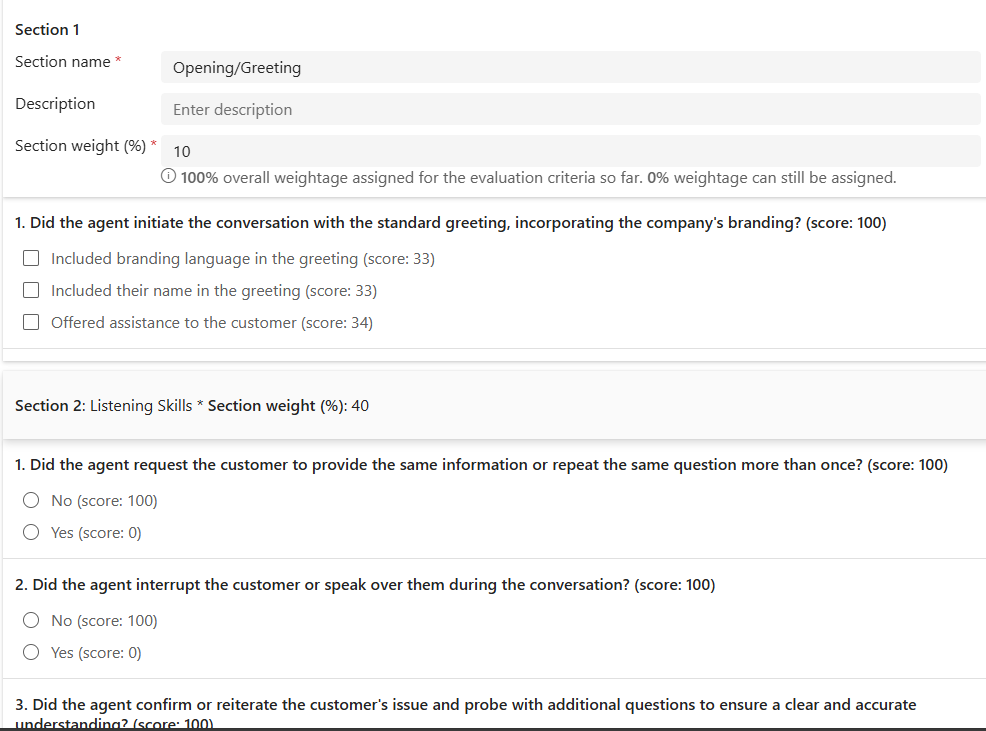
Evaluation criteria
Define sections such as empathy, accuracy, compliance
Use weighted questions to reflect business priorities
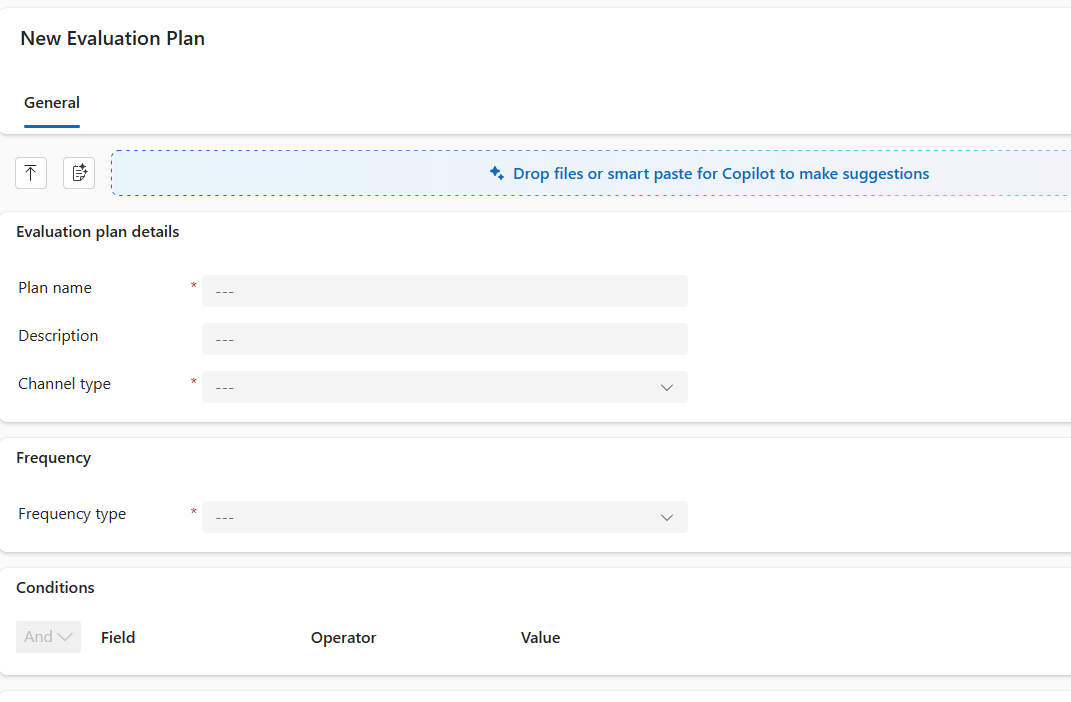
Evaluation plans
Set evaluation frequency (daily, weekly)
Choose channels (cases or conversations)
Define triggers (case resolution, conversation closure)
Real-time insights for supervisors
Monitor active sessions
View quality scores and sentiment analysis in real time
Identify improvement areas early
How the Quality Evaluation Agent works
Step 1. Define quality standards
Create weighted criteria aligned with your service goals.
Step 2. Build evaluation plans
Step 3. Activate the Agent
Step 4. Review dashboards & insights
Business value, best practices and what to consider
Business benefits
- Scalable quality management: consistent, unbiased evaluations across all interactions
- Data-driven coaching: AI-generated insights for targeted agent improvement
- Compliance & risk mitigation: detect policy gaps early and reduce SLA risks
- Unified view: evaluate both cases and conversations under one framework
Implementation best practices
Start with clear quality objectives
- Define what “quality” means
- Focus on measurable outcomes, like compliance, empathy, and resolution accuracy
Design balanced evaluation criteria
- Avoid overloading evaluation plans with too many questions
- Instead, prioritize high-impact areas and assign appropriate weights
Pilot before scaling
- Begin with a small set of cases or conversations to validate scoring accuracy
- Adjust criteria and weights based on initial insights
Monitor Copilot credit usage
- QEA consumes Copilot credits
- Track usage regularly and align with your licensing strategy to avoid unexpected costs
Leverage insights for coaching
- Use QEA’s detailed feedback to guide agent training
- Highlight strengths and address weaknesses with actionable recommendations
Review and refine regularly
- Customer expectations evolve
- Update evaluation criteria and plans periodically to keep quality standards relevant
Important considerations
Copilot credits
Quality Evaluation Agent consumes credits – plan your usage carefully.
Privacy compliance
Designed for coaching, not employment decisions. Ensure transparency and legal compliance.
Availability and roadmap
- Quality Evaluation Agent is now in Preview. Since October 2025 it is available for tests for cases and conversations
- Global Availability will start January 2026 across all Dynamics 365 Customer Service and Contact Center deployments
Key takeaways
QEA automates quality evaluation at scale
Delivers unbiased scoring and actionable insights
Frees agents to focus on customers
Requires Copilot credit planning
Like the previous agents, this agent helps the company close existing gaps. While service representatives continue to focus on what matters most – helping customers – the company can add new layers of support and control.
Just as with case closing, follow-ups, or customer knowledge management, additional elements of customer service can be handled with significantly less human time required.