What started as experimentation is now moving into everyday operations. Teams are building automations, creating AI assistants, and embedding AI into business workflows. AI is no longer a separate innovation project – it is becoming part of modern business applications such as Microsoft 365, Power Platform, and Dynamics 365.
But this rapid adoption also raises important questions. AI systems can access company data, connect to operational systems, and automate tasks that used to be handled by people. Without clear governance and security practices, you can quickly lose visibility over how these tools are used.
Why AI governance is important
In many companies, AI adoption starts organically. Someone experiments with Copilot to speed up daily work. A team builds an automation in Power Automate. Another department creates a chatbot to answer internal questions. These initiatives often deliver quick wins and help employees work more efficiently.
The challenge is that they often happen outside a structured governance model.
Over time, you may end up with dozens – or even hundreds – of automations, AI assistants, and integrations across different departments. While these solutions bring value, they can also introduce risks if they are not properly managed.
One issue that appears quite quickly is data access. AI tools may retrieve information from documents, CRM systems, internal knowledge bases, or operational platforms. If clear policies are not in place, sensitive information may end up being accessible to tools or users who should not see it.
Another challenge is integrations. Many AI solutions rely on connectors to internal systems or external services. When these connections are created without oversight, they can introduce security risks or expose critical systems in unexpected ways.
And then there is the question of ownership. When tools are built across multiple teams, it is not always clear who is responsible for maintaining them, monitoring their behavior, or fixing problems when something stops working.
None of this means organizations should slow down AI adoption. In most cases, these tools genuinely improve productivity. But it does mean that some level of governance is needed to keep things manageable as adoption grows.
Key pillars of AI governance in the Microsoft environment
To manage AI adoption effectively, you need a framework that combines technology, security practices, and organizational processes. In the Microsoft environment, several areas are particularly important.
Data governance
AI systems rely heavily on data. They retrieve information from documents, analyze internal datasets, and automate processes based on business data.
Because of this, one of the first questions organizations need to answer is simple: what data should AI be allowed to access?
Companies need to define which data is sensitive, which systems can be accessed by AI tools, and how information can move between systems.
Microsoft provides several tools that support this.
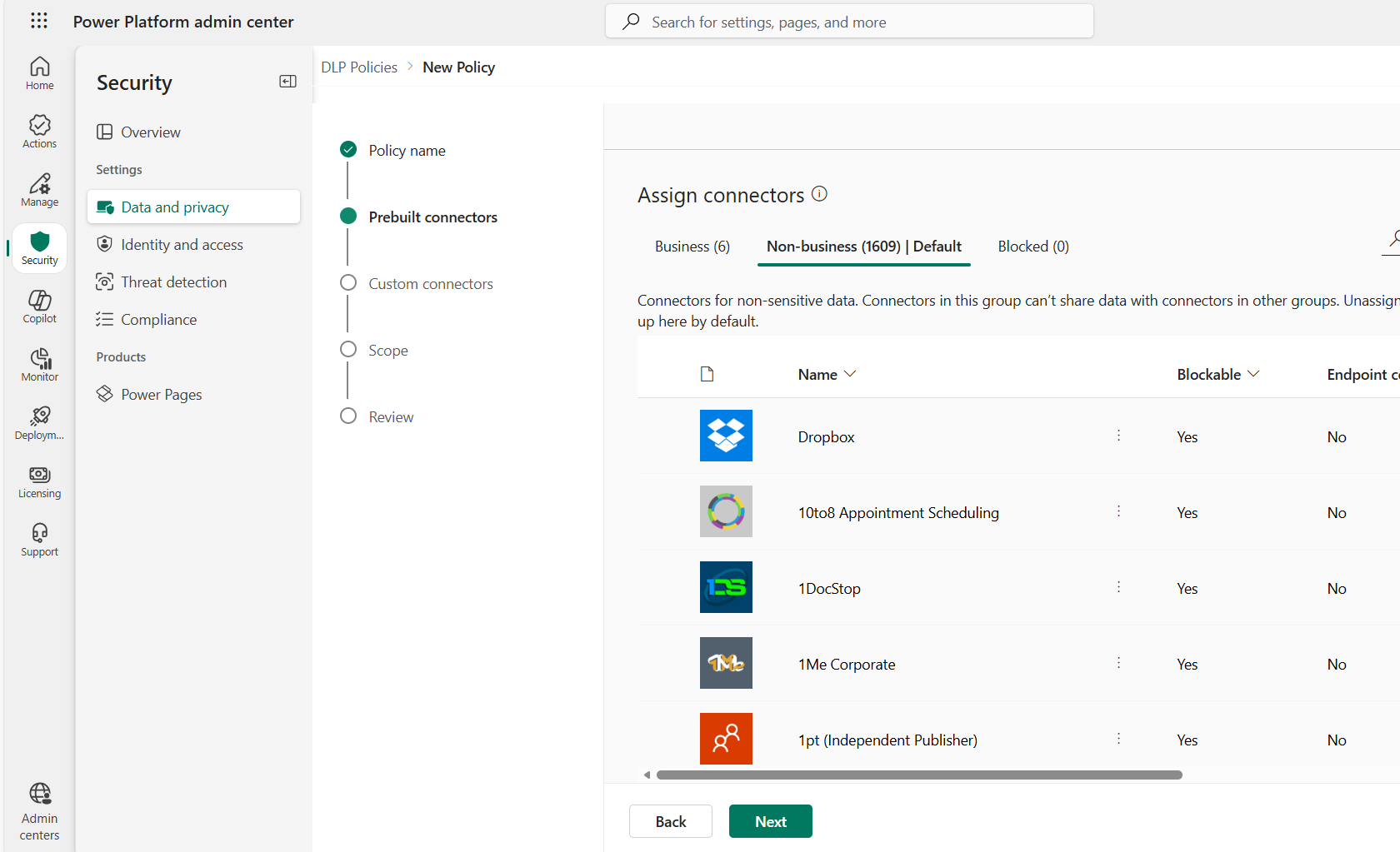
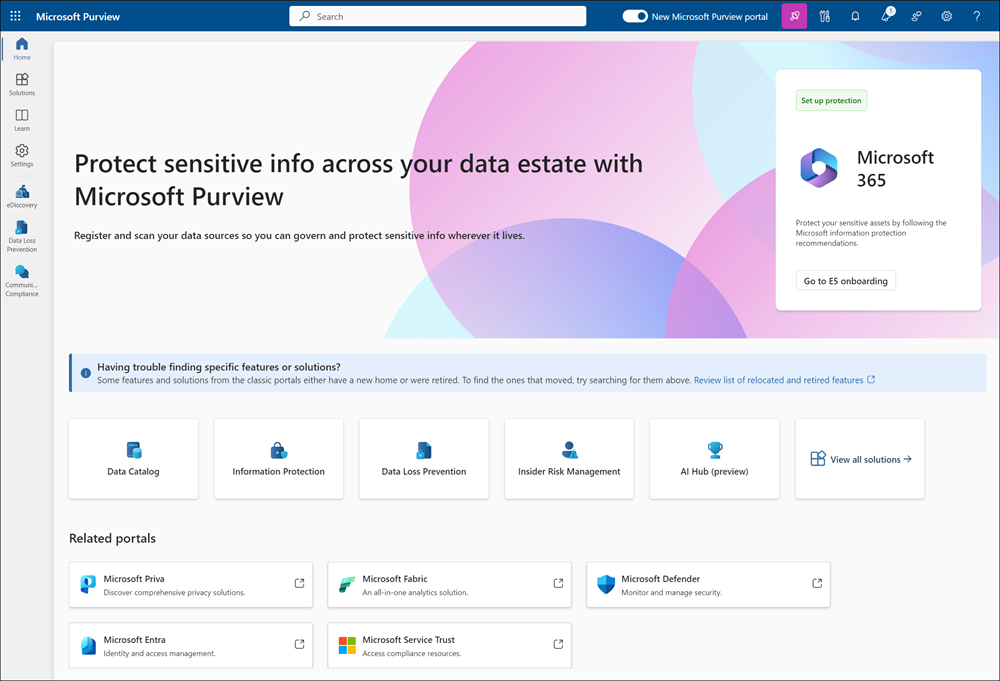
Microsoft Purview helps classify and manage data across the organization. Microsoft Information Protection allows you to label and protect sensitive information. Data Loss Prevention (DLP) policies help control how data moves between applications and connectors.
Identity and access security
AI applications operate within the same identity infrastructure as other enterprise systems. Automations, chatbots, and integrations often perform actions on behalf of users or systems.
For this reason, identity and access management remains a key part of AI governance.
You should implement:
- role-based access control for AI tools and connectors
- clear permission structures for applications and integrations
- proper management of service identities used by automations
Monitoring is also important. Security teams should be able to see how AI applications interact with data and systems so that unusual activity can be detected quickly.
In many ways, the same security principles used for traditional IT systems apply to AI tools as well – they simply need to be extended to new types of applications and workflows.
Application lifecycle governance
Many AI-powered solutions today are created using low-code or no-code platforms, especially Power Platform and Copilot Studio.
This makes development faster, but it also means the number of applications and automations can grow quickly.
To maintain control, organizations should apply the same lifecycle management practices used for traditional software.
This includes:
- managing development and production environments
- versioning applications and automations
- testing changes before deployment
- documenting ownership and responsibilities
Establishing Application Lifecycle Management (ALM) practices for Power Platform solutions helps you maintain visibility and control as the number of AI solutions increases.
Organizational governance
Technology alone cannot solve governance challenges. Clear organizational processes are equally important.
You should define:
- who approves new AI solutions
- who maintains and monitors them
- how new automations and applications are introduced into the environment
Employees also need clear guidance on how they can use tools such as Copilot or build their own solutions.
At the same time, governance should not prevent employees from creating useful tools. Many organizations benefit from citizen developers – business users who create low-code solutions to improve everyday work.
The goal is not to restrict them, but to support them with clear rules and oversight.
One approach that works well in the Microsoft environment is the Power Platform Center of Excellence (CoE). The CoE framework helps organizations monitor platform usage, manage environments, and support low-code development while maintaining visibility and control.
How you can adopt AI safely
For companies starting to use AI in business applications, the most important step is establishing clear governance early.
First, you should define policies that explain how AI tools can be used. This includes rules for data access, approved integrations, and the process for introducing new solutions.
Second, you should ensure that data classification and protection mechanisms are already in place before AI tools start using corporate data.
Third, centralized monitoring is essential. IT and security teams should have visibility into how automations, chatbots, and AI assistants operate across the organization.
Finally, governance models should remain adaptable. AI technologies are evolving quickly, and governance practices need to evolve with them.
When implemented correctly, governance does not slow down AI adoption. Instead, it creates the structure that allows you to scale AI safely.
We have a follow-up article on this topic, read it here: https://netwiseglobal.com/blog/ai-governance-in-business-applications-what-implementation-looks-like/
Conclusion
Organizations that adopt AI without governance may quickly find themselves with great tools but limited visibility over how they are used.
Companies that succeed with AI focus early on clear governance principles. This includes structured data governance, strong identity and access management, lifecycle management for applications, and clear responsibilities.
With these elements in place, you can expand the use of AI safely while keeping control over their systems and data.